
Read your Laravel database schema straight from the code
Migrations record how your schema was built, not what it is today. Here's how to reconstruct the real picture — tables, columns and relationships.
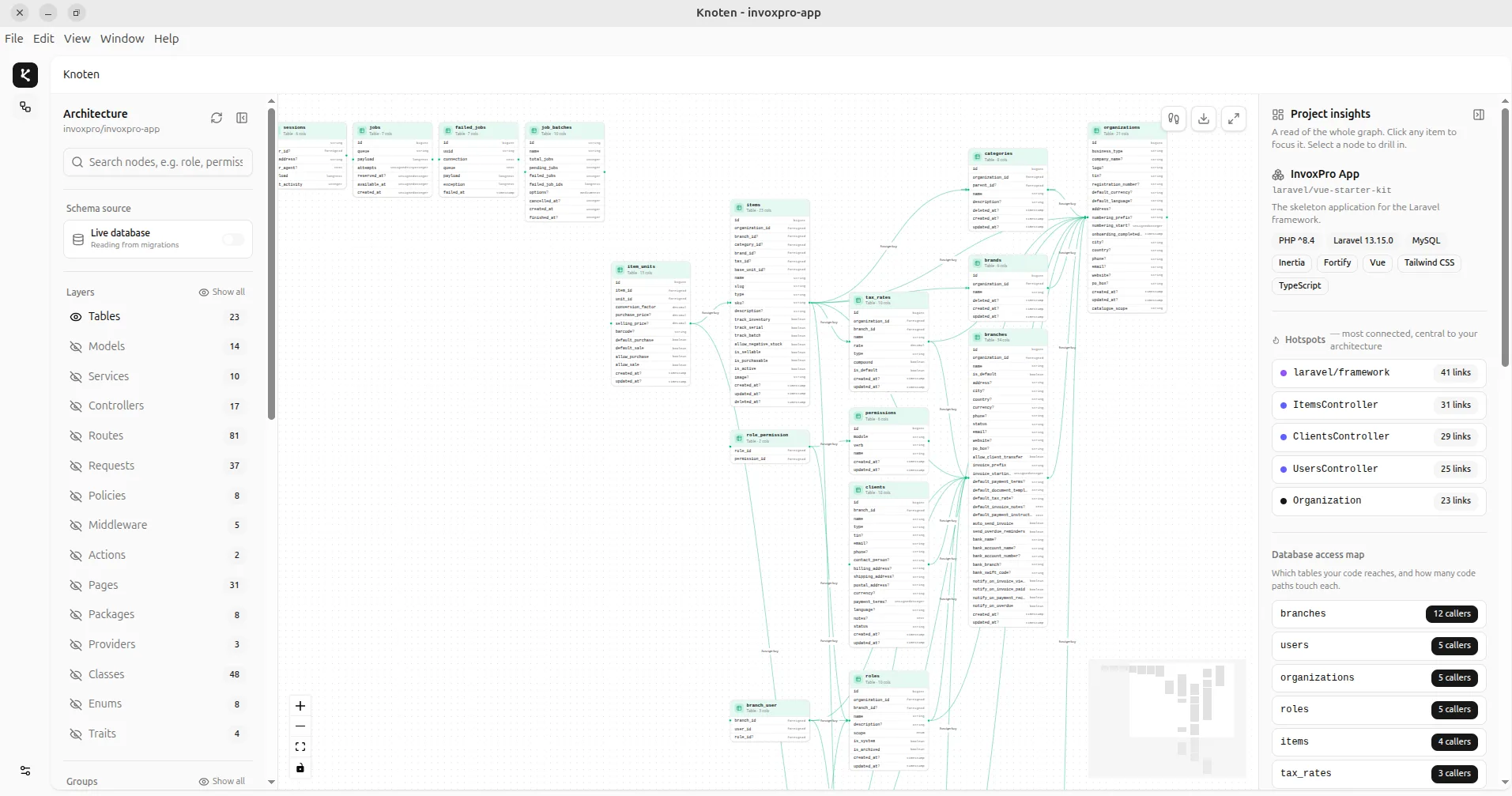
Ask a developer to explain an unfamiliar Laravel app and the good ones start in the same place: the database. The data model is where the business rules live. Two tables and a pivot tell you more about what an app does than a thousand lines of controller code.
But there's a catch. The obvious place to look — database/migrations — is often the worst place to understand the current schema.
Why migrations mislead
Migrations are an append-only history. A single users table might be spread across a dozen files: the original create, three add-column migrations, a rename, a column dropped two years ago, an index added last month. To know what users looks like today you'd have to replay all of them in your head, in order. Nobody does that accurately.
Migrations answer "how did we get here?" You almost always want to answer "what is here now?"
Reconstruct the current schema
There are two reliable ways to see the schema as it actually is:
- From the live database — inspect
information_schema(or use your DB client) to list every table, its columns and types, and its foreign keys. - From the migrations, replayed once — run them into a scratch database and read the result, so the whole history collapses into a single, current picture.
Either way, the output you want is the same: a list of tables and the foreign keys that connect them.
Read the relationships first
Columns matter, but relationships are what reveal the domain. A foreign key from orders.user_id to users.id isn't just a constraint — it's a sentence: "an order belongs to a user." Follow enough of those sentences and the app's core nouns fall out on their own: customers have orders, orders have line items, line items reference products.
Laravel adds a second layer on top: Eloquent relationships (hasMany, belongsTo, belongsToMany) declared in your models. These don't always line up with database foreign keys — a belongsToMany might use a pivot table with no formal constraints at all. Seeing the database relationships and the Eloquent relationships side by side is where the real understanding clicks.
Where to start on day one
Next time you open an unfamiliar Laravel project, resist the routes and controllers for twenty minutes. Look at the schema, find the three or four central tables, and read outward from there. It's the fastest on-ramp to a codebase there is.
Map your own Laravel app
Knoten turns any PHP or Laravel codebase into an interactive architecture & database map — 100% locally, in seconds.
Download Knoten