
How to understand a legacy Laravel codebase in an afternoon
Inherited a big Laravel app with no docs and a deadline? Here's a calm, repeatable way to build an accurate mental model — without reading every file.
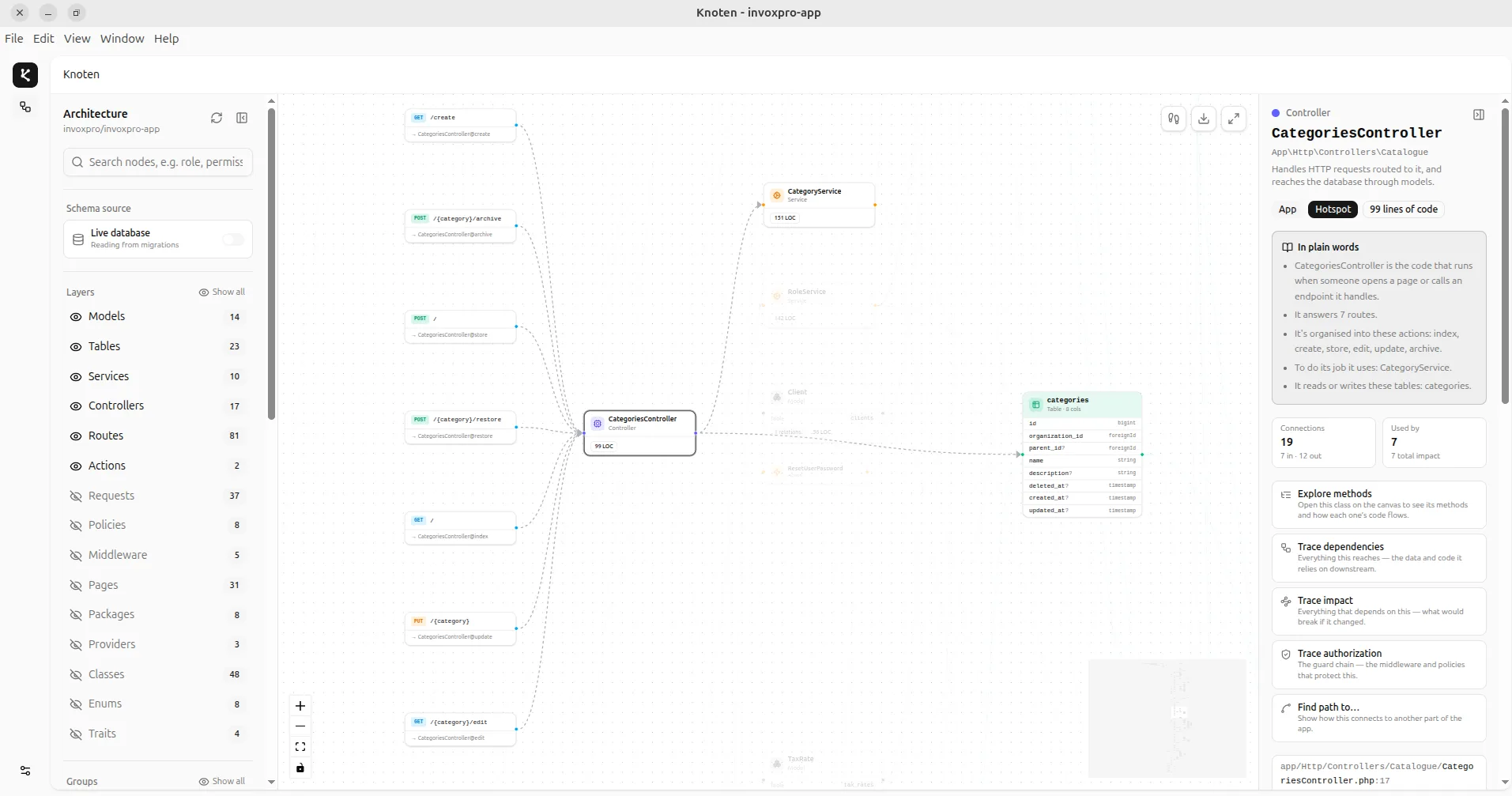
Every developer knows the feeling. You clone a repository you've never seen, run composer install, and stare at a folder tree with 400 classes, 30 migrations, and a routes/web.php that scrolls for a full minute. Where do you even start?
The instinct is to open files at random and read. Don't. Reading a large codebase file-by-file is like trying to understand a city by walking down every street. You need a map first. Here's how to build one in an afternoon.
1. Start at the edges: the routes
Every request enters your application somewhere, and in Laravel that somewhere is the route table — the truest table of contents you have. Run:
php artisan route:list --columns=method,uri,actionSkim it. You're not memorising URLs; you're looking for the shape of the app. Which resources exist (users, orders, invoices)? Which controllers show up most often? Which routes sit behind auth or admin middleware? Ten minutes here tells you more than an hour of scrolling through app/.
2. Follow one request all the way in
Pick a single important route — say POST /orders — and trace it end to end: middleware, then the controller, then the services it calls, then the models it touches, then the database tables those models write to. Following one request all the way down teaches you the app's layering conventions, which you'll then recognise everywhere else.
3. Read the database, not the migrations
Migrations tell you the history of the schema — every add-column and rename in the order it happened. That's rarely what you want. You want the schema as it exists now: the tables, their columns, and the foreign keys that connect them. Point a schema viewer at the database (or reconstruct it from the migrations in a single pass) and read the relationship graph. The data model is the spine of almost every business app; understand it and the code makes far more sense.
4. Find the hotspots
In any codebase a small number of classes do most of the connecting — a User model referenced everywhere, an OrderService that a dozen controllers lean on. These hotspots are where risk and knowledge concentrate. Find the most-referenced classes and read those first; they're the load-bearing walls.
5. Map it — don't memorise it
You will not hold 400 classes in your head, and you don't need to. The goal of an afternoon isn't total recall; it's a reliable map you can return to: the entry points, the main flows, the data model, and the hotspots. With that, every future task becomes "find the right spot on the map" instead of "read the whole thing again."
This is exactly the map Knoten builds for you — automatically, from static analysis, in seconds. It draws your routes, controllers, services, models and tables as one interactive graph, surfaces the hotspots, and lets you trace any request or change without running a single line of code.
Map your own Laravel app
Knoten turns any PHP or Laravel codebase into an interactive architecture & database map — 100% locally, in seconds.
Download Knoten